
Run your training centre in one place
iCompetent Desk is the software a training provider uses to run its centre: learners, trainers, classrooms, sessions, certificates and customers. Joined to your company page, it also answers training requests from icompetent.com.
Every company starts with a 14-day free trial.
Desk is for your staff. Learners do not sign in to it.
What Desk does
Everything your office keeps track of, in one place your whole team can open.
Learners
Everyone who trains with you, their documents and qualifications, and when each one runs out. Bring your list in from a spreadsheet.
Trainers and their qualifications
Staff and freelance trainers, what each one is approved to teach, and when they are away. Desk warns you before a qualification ends.
Classrooms
The rooms and practical areas where your sessions run, and how busy each one is.
Sessions and calendar
Every run of a course: when, where, who teaches and who attends. Desk warns you when a room or a trainer is booked twice.
Certificates
Design your own certificates and issue them. Each one gets a number and a link anyone can use to check it.
Customers, deals and quotes
The companies and people who buy training from you, with your deals and quotations.
Tasks, including automatic ones
Desk makes a task when something needs doing, such as sending joining instructions or renewing a qualification, and gives it to a job title you choose.
Employees and branches
Your staff and their job titles, and every branch of your centre.
Equipment
The equipment in your classrooms, kept as assets.
See Desk
These are real screens of Desk, filled in for a made-up training centre.
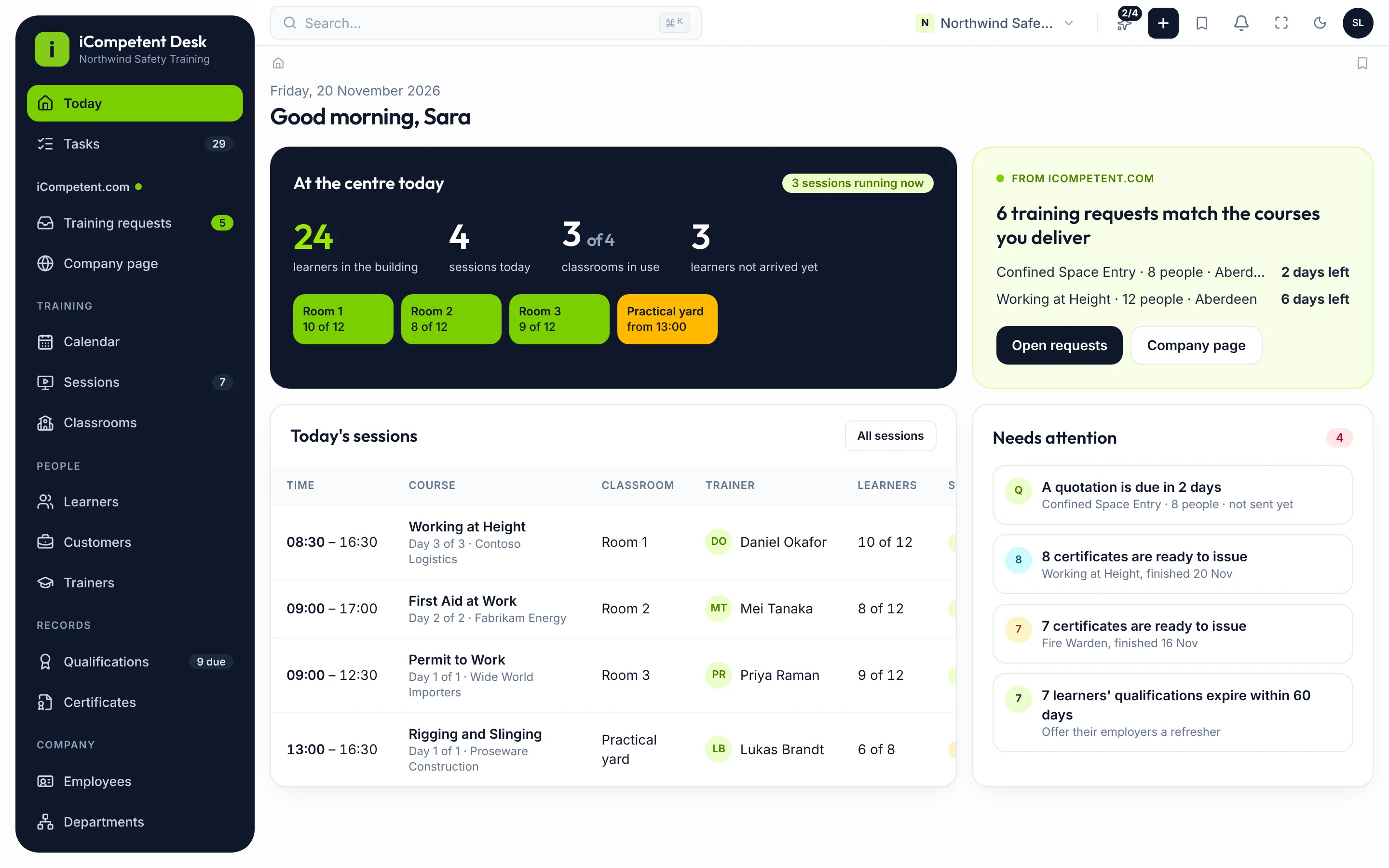
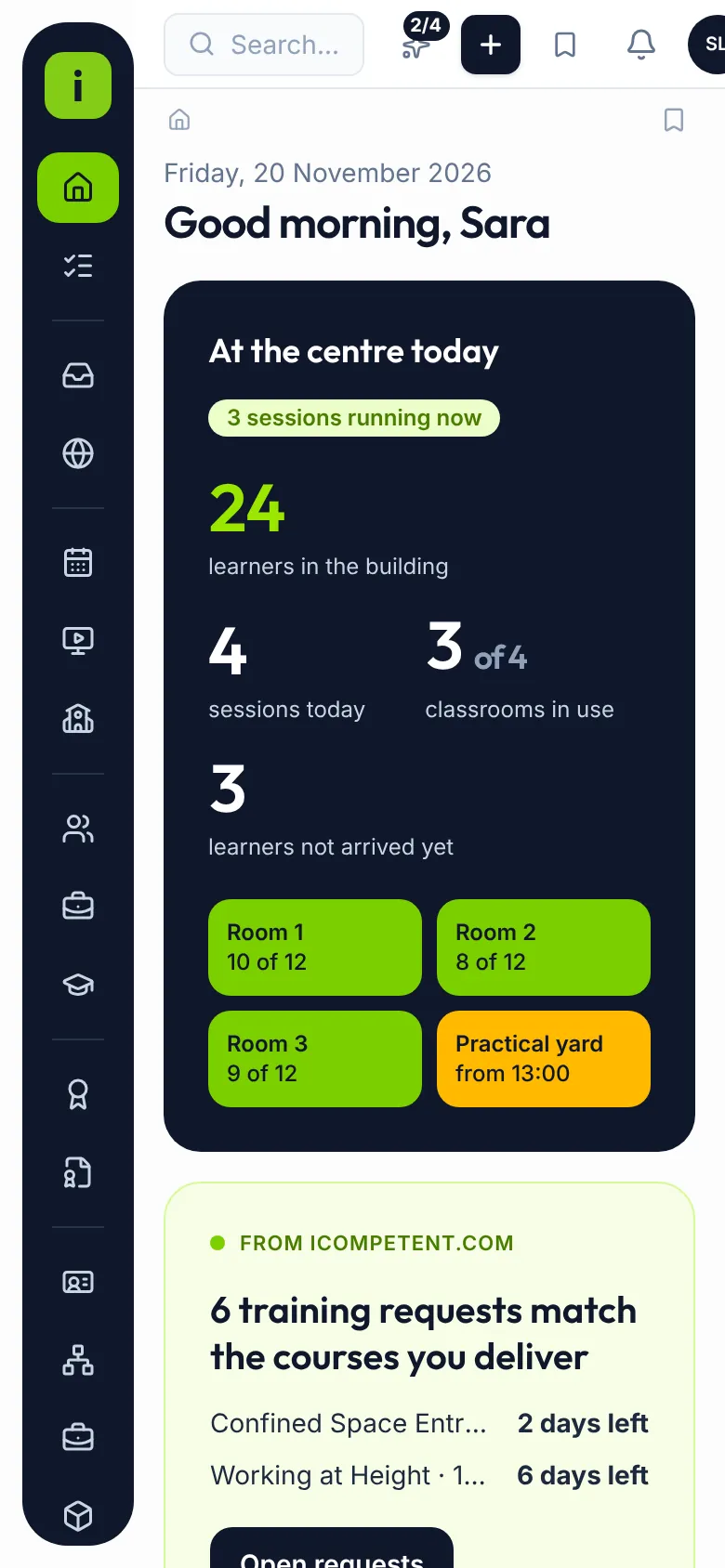
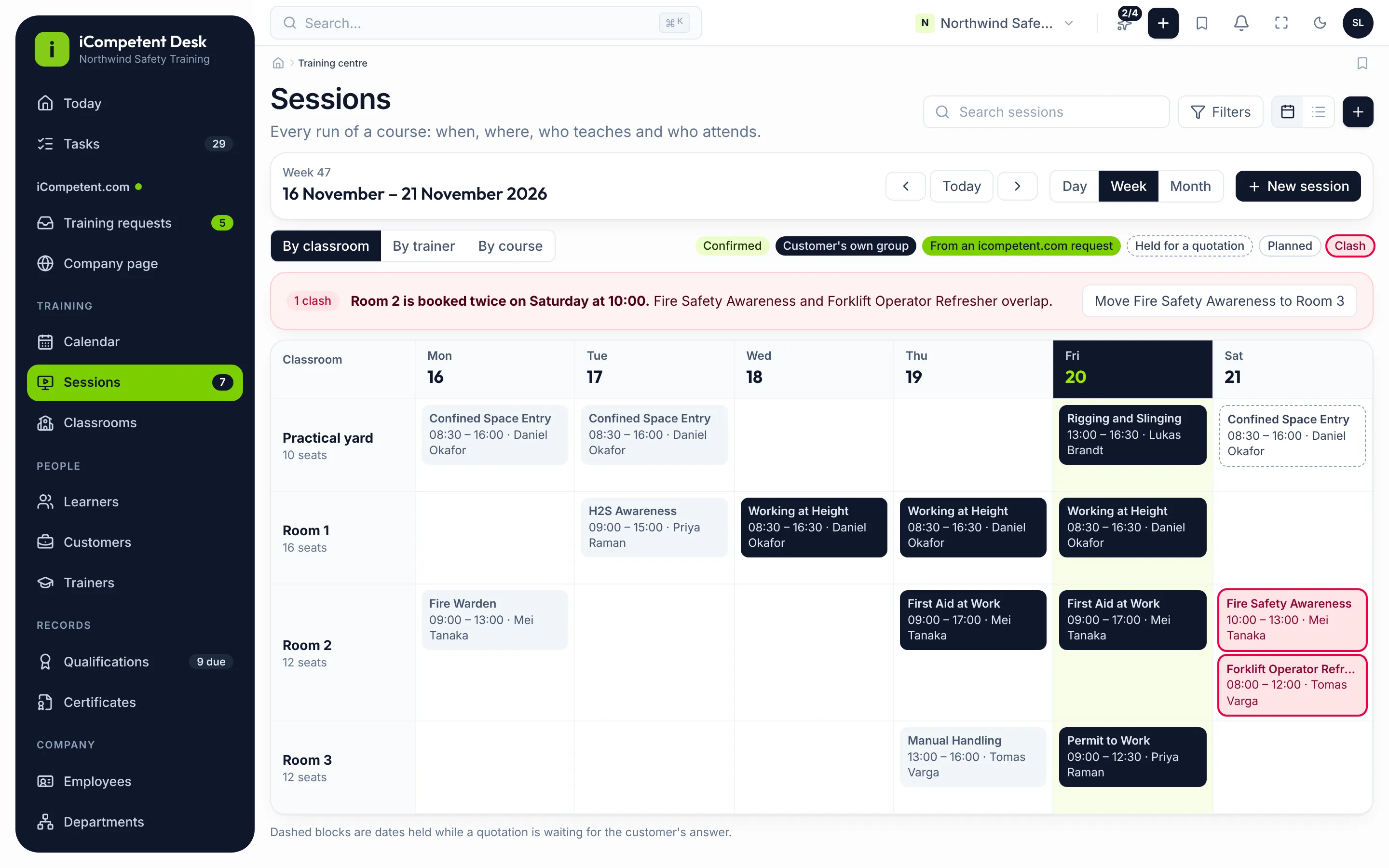
The calendar warns you when a room or a trainer is booked twice 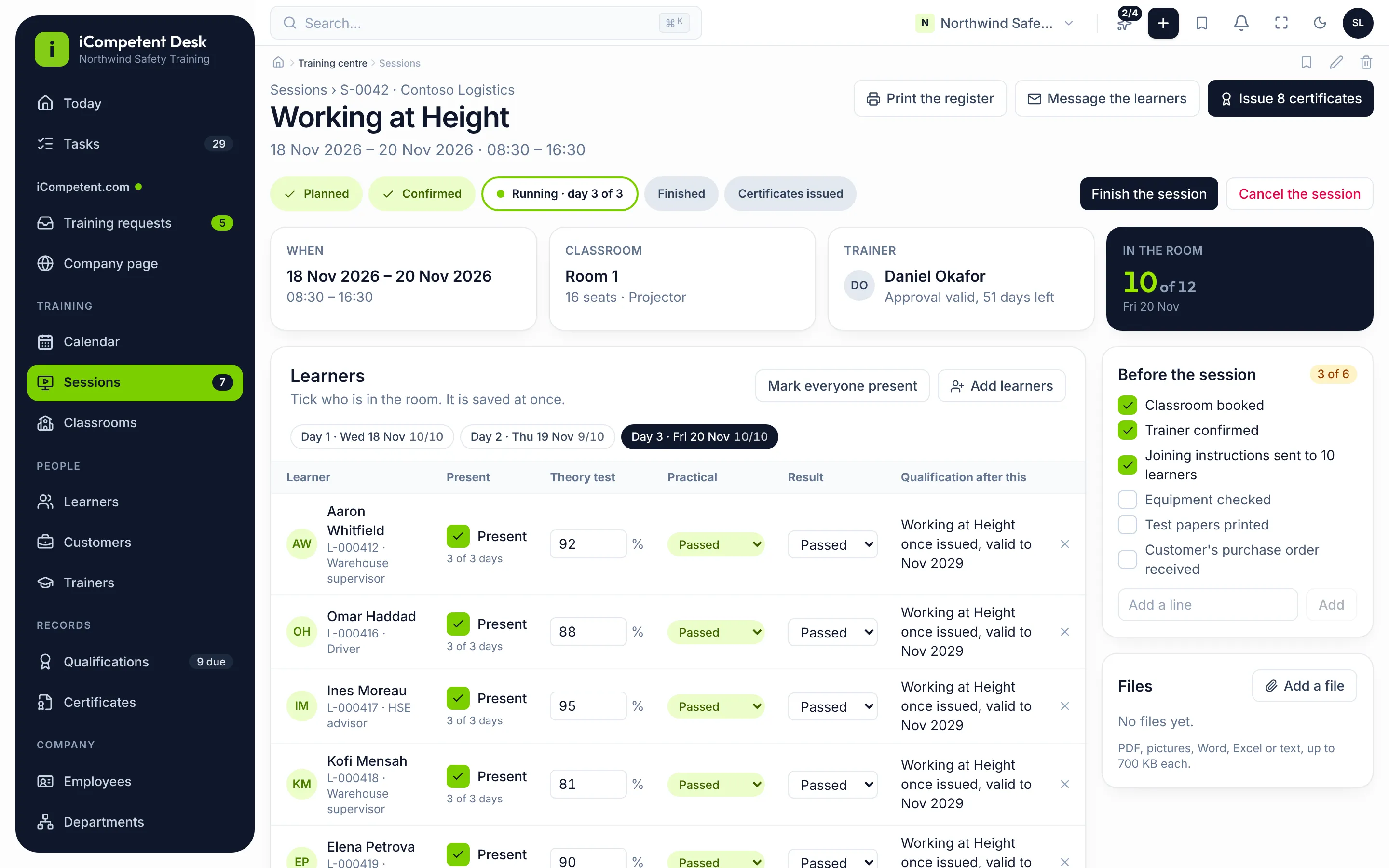
Mark attendance and results, then issue every certificate in one go 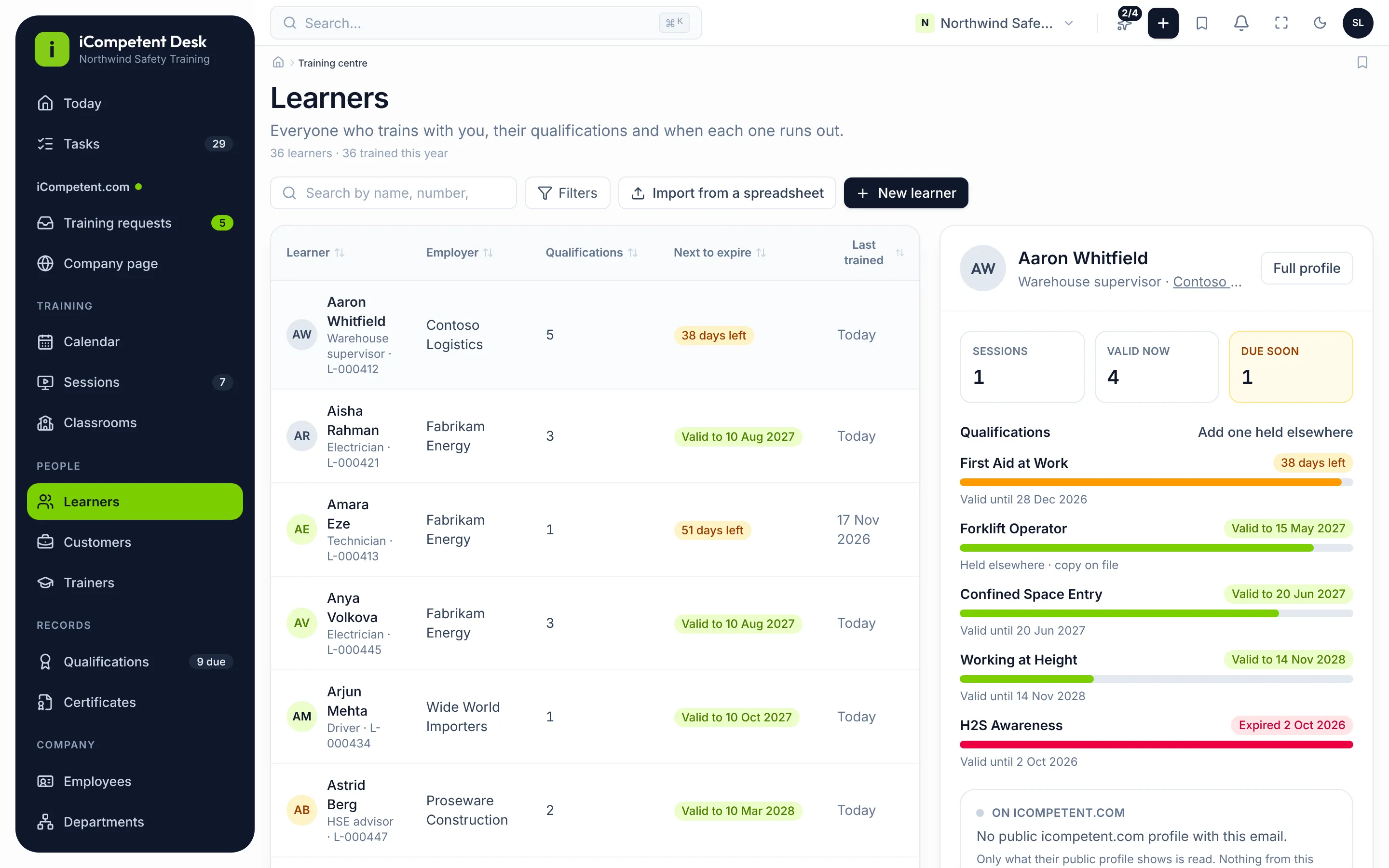
Every learner's qualifications, and when each one runs out 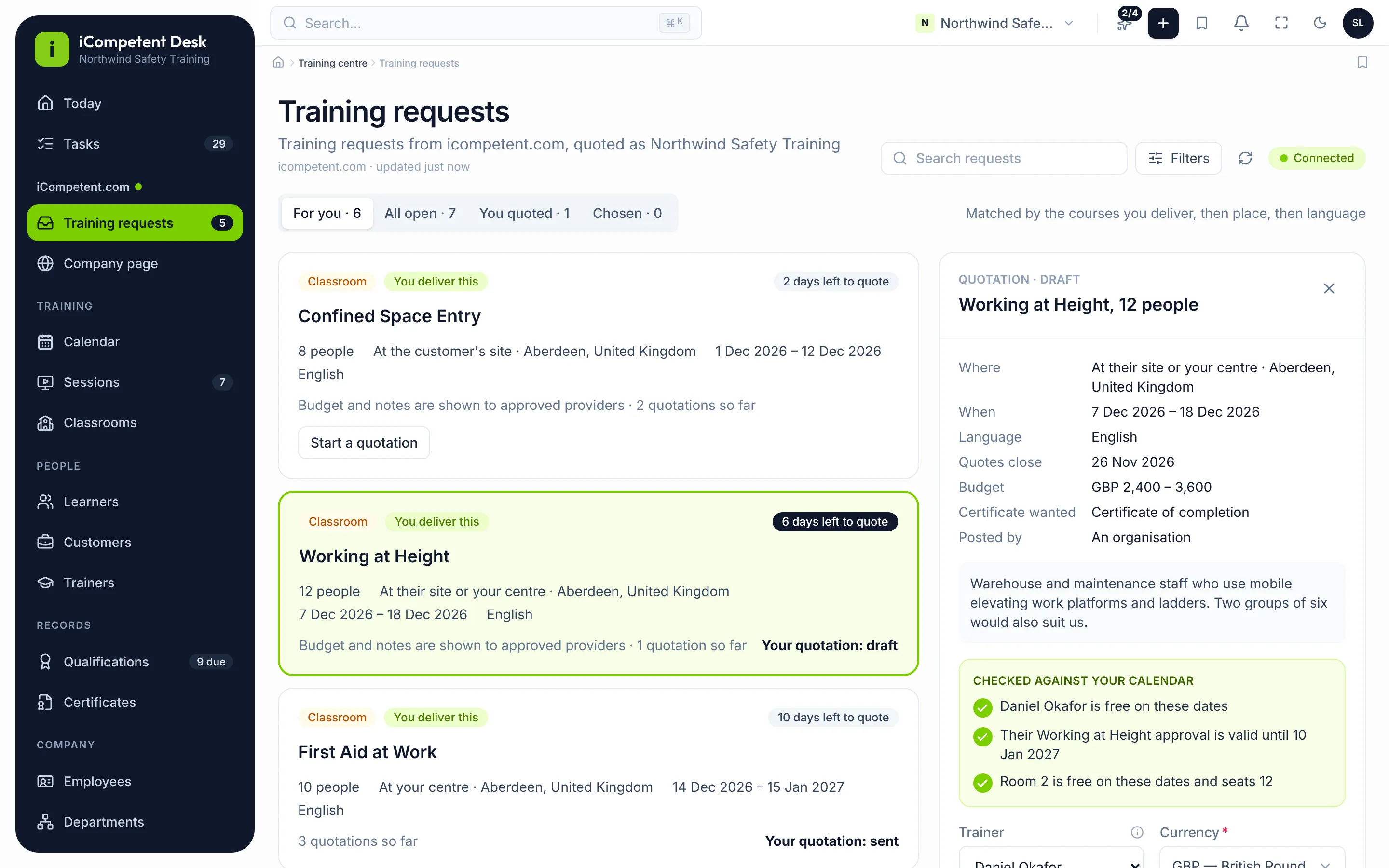
Answer icompetent.com's training requests; Desk checks your calendar before you quote 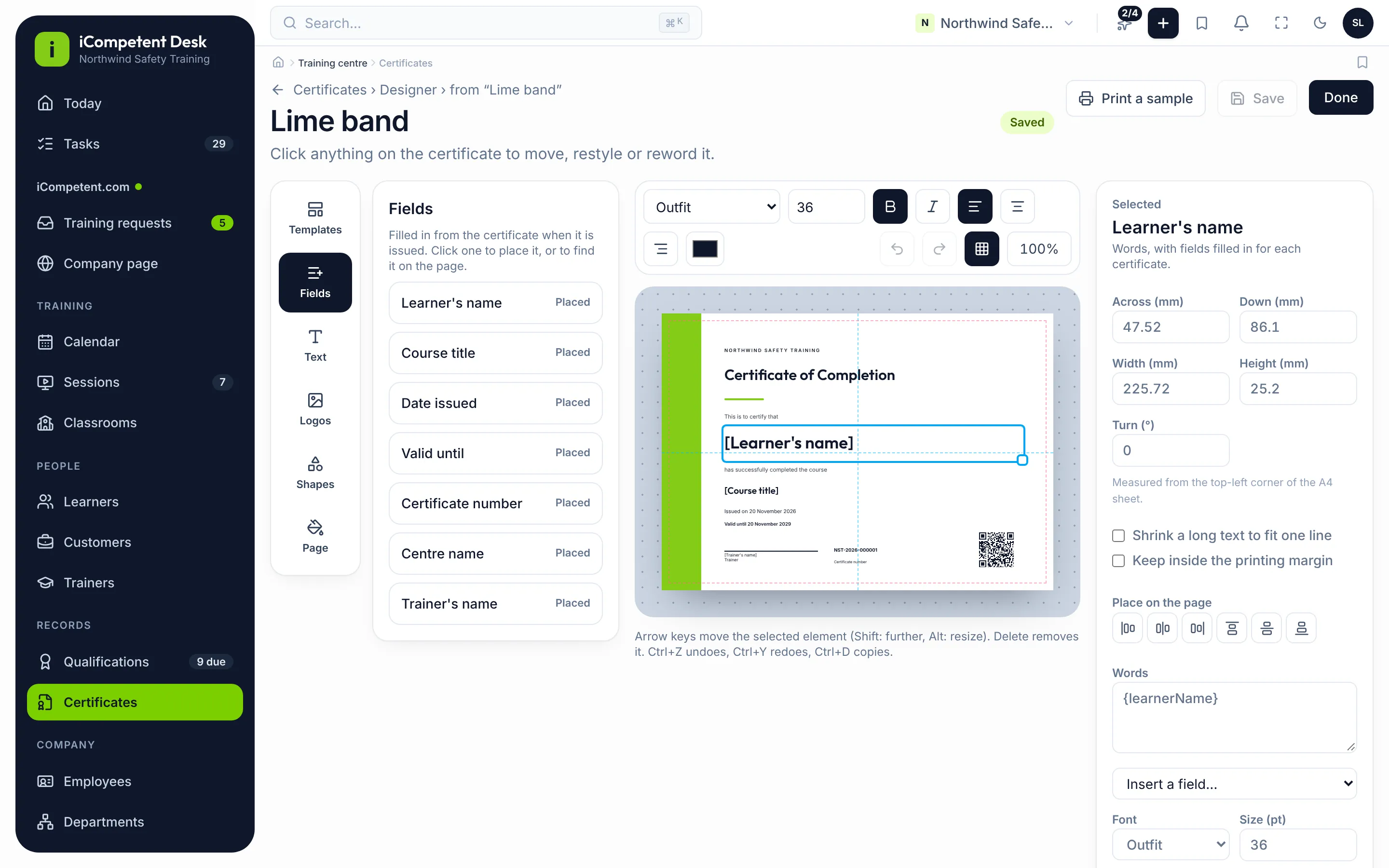
Design your own certificates; each one gets a number and a check link
Every name and figure on these screens is sample data.
Joined to icompetent.com
Each company has one page on icompetent.com and one Desk account. Once iCompetent's team links the two, you work from Desk:
Training requests
See the requests on icompetent.com, with the ones that match your courses first.
Quotations
Prepare and send your quotations, and follow which ones a customer chose.
Your company page
Change your page, your courses and your contact details, and send the changes to icompetent.com.
Only iCompetent's team can link a Desk account to a company page. A company without Desk keeps doing all of this on icompetent.com.
Who it is for
- Training companies with a centre, with one office or several
- Providers that teach in classrooms, at customers' sites or live online
- Office staff, coordinators and managers who plan and run courses
Seven languages
English, Russian, Azerbaijani, Turkish, German, French and Norwegian.
Online, in your browser
Nothing to install on a server. You can add Desk to your computer or phone from the browser.
Help you can see
To help you, iCompetent's team can open your Desk read-only for one hour. Every such sign-in is listed for you.
How to start
- 1
Create your account
Sign up for Desk and create your centre's workspace.
- 2
Set up your centre
Add your company details, your branches and how your certificates are numbered.
- 3
Invite your staff
Invite your colleagues and give each one a role.
- 4
Link your company page
Ask iCompetent to link your Desk account to your company page.
After you sign up, contact us to link your Desk account to your company page on icompetent.com. If your page already has a manager, the team links that person. If your company is not on icompetent.com yet, the team creates its page.
Questions
Do my learners use Desk?
No. Desk is for your centre's staff. Learners do not sign in to it.
Can iCompetent see my data?
To help you, iCompetent's team can open your Desk read-only, for one hour at a time. They cannot change anything, and every such sign-in is listed under Support sign-ins in Centre setup.
We have several branches. Do we need several accounts?
No. One company has one Desk account. Add your branches in Centre setup, and the office list on Desk's other screens shows them.
What happens if we stop using Desk?
If your free trial ends without a subscription, or your subscription ends, your Desk becomes read-only for 90 days. If you subscribe in that time, it works as before. After that, it is deleted.
What does Desk cost?
Every company starts with a 14-day free trial. After that, each company pays one subscription, monthly or yearly, by card. You see the price before you pay, and you can cancel at any time.
Ready to try Desk?
Start your 14-day free trial: create your account, set up your centre and invite your team.